Joys of Inter-Library Loans Changes

You may have heard that the State Library of WA has implemented changes to the delivery of Inter-Library Loans that is impacting readers in regional areas.

Inter-Library Loans play an important part of the library service for our community, and we are continuing to advocate for ongoing, easy access for all our library members. We encourage members to request titles they would like to read because it plays an important role in the collection being relevant to our community and its reading needs. What will happen when you ask for an item?

  • We will try to source the item as an e-resource and show you how to access that if needed
  • If an e-resource is not suitable we will try to purchase the item
  • If we can’t get it, we will try to obtain the item from another library

Please, please ask for the items you want to read because you help make the library collection vibrant, current, diverse and interesting for other users of our service.

… as always, we will do our best to satisfy all user requests from our community with patience and diligence.


Learn to touch type

Kaz Typing is an accelerated-learning typing tutor using 11 words in 5 easily memorised phrases – no more boring repetition.

It caters for all needs and skills.  The program uses a multi-sensory approach engaging the major senses of sight, sound and touch simultaneously, radically enhancing memory retention and recall.

Specialised features were developed with advice and guidance from the British Dyslexia Research Trust, making it accessible to neurodivergent individuals with challenges such as dyslexia, dyspraxia, dysgraphia, ADHD, ASD and Tourette’s, among others. It’s specialised ‘preference screen’ minimises visual disturbances at the start of the course, tailoring it to each user for maximum visibility comfort.

Access to Kaz and other eResources are free with your library card via our website Learn and Research Online | Shire of Augusta Margaret River (amrshire.wa.gov.au)

Revising for exams or have an assignment due?

We know it’s a busy time and many students have major assignments and exams due soon.

If this is you, take the pressure off and save extra hours in front of your screen by quickly improving your draft through Margaret River Library’s Studiosity service before you submit your final assignment.

Studiosity, also connects you Live with a tutor online to help with your homework or assignments anytime, anywhere, in any topics like Maths, English, Biology, Chemistry, Physics and more. You can also get help with spelling and grammar in your assignments.  

Revising for exams? Double-check your work with a specialist. Log in and connect in real time to chat through your questions and make sure you’re getting it right, before your exam.

Hear from students on how Studiosity improved their study journey.

Sign in to your Studiosity account with your library card.


Digital Confidence workshop – What is ‘the cloud’?

Join our group session next week to understand all about the cloud.

Back by popular demand, this workshop will cover what it means when something is described as being in the Cloud. You’ll find out how the cloud works, what you can do with it and where your personal information is stored and kept safe.

Benefits of the cloud and how do you know you are using it.
Using the cloud safely.
How to choose a cloud app service.

What is ‘the cloud’?| Margaret River Library
Tuesday 19 September 2023 from 1pm to 2.30pm.
What is ‘the cloud’?| Augusta Council Chambers
Wednesday 20 September 2023 from 10am to 11.30am.

Bookings are essential for these free workshops. Please call 08 9780 5600 or email eServices Librarian Ana Brawls at  abrawls@amrshire.wa.gov.au to book your place.

NBN Logo

Canva, GoogleDocs and more with Infobase

Have you been thinking about sharpening your digital skills but are time poor?

Infobase Learning Cloud offers over 400 easy to understand online courses for you to take at your own pace. Access quick, effective training on the newest software with your library card.

  • Have unlimited access to software-specific video based tutorials to improve on-the-job skills and social media know-how.
  • Learn to create infographics using Canva or the basics of HTML5.
  • Courses available includes:  iMove & GarageBand; Goodgle Docs, Social Media and WordPress, Microsoft Word and excel, and hundresds more.


Visit Infobase Learning Cloud through our eResources page. Click on Learn and Reserch Online and expand  Digital SKills and Cyber Security, sign in with your library card, and you are ready to start learning.

If you have any questions, or would like to know more about our eResources, contact Ana our eServices Librarian on abrawls@amrshire.wa.gov.au


Celebrate CBCA Book Week with StoryBox

StoryBox has everything you need to celebrate Children’s Books Week with your child.

Think of StoryBox Library as an online ‘reading room’, providing a vibrant, interactive experience via a diverse range of everyday storytellers – actors, comedians, sports people, musicians, artists, authors, children – with varying accents and from different cultures, each sharing past and present book titles. The result is meaningful, entertaining readings that focus on both teller and tale.

Bring your child(ren) to the library to visit the Children’s Book Week display and get some activities to do with StoryBox.

StoryBox is free with your library card. Visit our library eResources pages to find out what else is available for you.


Get some help with that essay!

You can use your library card to access free essay-writing feedback via Studiosity

Have your essay and library card handy to log in. Select the Writing Feedback option and submit your essay. Tutors can provide assistance from year 3 through to TAFE and early university levels.

Click here for more information about Studiosity and other educational support available with your library membership.


Book clubs rejoice, more titles for simultaneous read

Our CLoudLibrary collection is growing with many titles available for simultaneous borrowing, making it ideal for book clubs. Below is just a sample, but you can explore the whole collection clicking on the image.

Cover Image for the Book After Story by Larissa Behrendt Cover Image for the Book Blood & Ink by Brett Adams Cover Image for the Book Cover Story by Susan Rigetti Cover Image for the Book The Ghost of Grace Flynn by Joanna Morrison Cover Image for the Book What is left over after by Natasha Lester

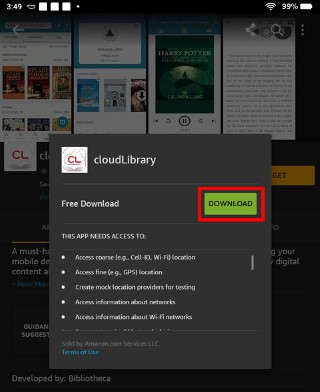
Not sure how to use CloudLibrary, or would you like to know what other eResources available to you and your book club? Click here to explorer the collection and watch the tutorial, or contact  eServices Librarian Ana Brawls, on abrawls@amrshire.au.gov.au to book an info and training session for you and your book club to learn how to get your ebooks and eaudios.


The Library is an inclusive and accessible venue.

Switch on your borrowing history!

Would you like to view your borrowing history? It can be very helpful if you can’t remember the name of that book you wanted to revisit or recommend.

You can now switch on this feature in the library catalogue – this is how:

My Account heads a dropdown menu from which Profile can be selected.

  • Look for the Borrowing history heading, and switch on ‘Enable my borrowing history’:

Under the heading of Borrwoing history there is a toggle button to switch on 'Enable my borrowing history'Your borrowing history will build from the day you switch it on, with each new check-out retained for 5 years.

eMagazines now on BorrowBox

BorrowBox is proud to announce the much-anticipated arrival of eMagazines.

Simultaneous access to the best range of must-have Australian and International magazine publications are now available to our members.

Visit https://amrlibrary.borrowbox.com/  , or if you already have the BorrowBox app, check the bottom of your screen for the Magazines tab to start making most of this fantastic eresource.

BorrowBox e magazines

Please contact the library on 08 9780 5600 if you have any questions, or if you would like to know more about our extensive range of eResources.


Back to top ↑

Contact the Libraries

Margaret River Library

Fearn Avenue, Margaret River WA 6285
Phone: (08) 9780 5600
Email: amrlibrary@amrshire.wa.gov.au