Be eSmart: 10 top cyber-safety tips

It’s eSmart Week and we’re keen to promote digital inclusion and online safety for all our community.

Drop in to the Augusta or Margaret River library to pick up your Be Connected Guide to Getting Online or a Think-U-Know Guide to Cyber Security (or both!)

Check out our Top 10 Cyber Safety Tips:

  1. Care about the Share
    Social media wants you to share as much as you can bear! But the share should be rare. NEVER share: passwords, private/personal information, your location.
  2. Privacy Matters
    If you care about the share, you’ll protect your privacy, no matter what. Regularly check your privacy settings on social media, and always think before you post.
  3. Respect the Privacy of Others
    Treat others’ privacy as you would your own. Ask for your friends’ permission before uploading photos and videos of them.
  4. Keep Everything Updated
    Any idea what causes the most security breaches on the internet? Software that isn’t up-to-date. Be vigilant about updating software, including apps, anti-virus and even the humble browser.
  5. Spam, Spam, Spam, Spammidy-spam
    Spam is the modern version of junk mail! Learn how to tell the difference between real emails and messages… and always be suspicious of hyperlinks in emails.
  6. Control the Troll Within
    There be trolls out there – beware! Don’t feed them, don’t give them what they want: an angry response. Block/Report the trolls. But also: resist the inner troll. Don’t be part of the problem.
  7. Cyberbullying and Harassment
    If you’re being targeted by this kind of behaviour, know what you can do, and where you can get help. Ask your library to show you the eSmart resources webpage.
  8. Keep Your Friends Close and Strangers at Arm’s Length
    Do you know how many true friends most people have? Three. Yup, those four thousand and fifty-two Facebook ‘friends’ are a combination of acquaintances, people-you-met-once, people-you-can’t-remember-meeting-once, and probably, some ‘randoms’. They don’t need to know what you had for breakfast, or what concert you went to last night, do they?
  9. Feel the Flow – Keep Your Life in Balance
    Technology is incredible. Gaming, networking, apps…online shopping! But make sure you take time out and find the right balance for you. Too long on tech can put the world out of whack.
  10. Have Fun, Friend
    Always remember to chill out and keep things in perspective. There’s too much information online to take it all in! Focus on each moment, and enjoy.


Rainforest Coding – having fun while learning to code

Rainforest Coding is our new e-resource that takes you on an adventure while teaching you how to code.

The action takes place on the beautiful Echo Island, part of the Crystal Rainforest. Things suddenly turn very ugly for the scientists living on the island when it is attacked by hundreds of evil robots. Can the children help Doctor Han find her way around the old temples, removing the robots in her way? Can they discover what is going on and who is behind the attacks? 

Suitable for five years and up. For more information, click here to go to our E-resources for parents and children page.

Learn to touch-type in 90 minutes with KAZ!

Typing is a valuable skill for anybody who uses a keyboard to study, work or play.

KAZ is now available free for all library patrons. It uses a unique and proven ‘accelerated learning’ teaching method. Incorporating both ‘muscle memory’ and ‘brain balance’, it engages the major senses of sight, sound and touch simultaneously, radically enhancing memory retention and recall.

The course is presented in a structured but light hearted manner in order to make learning fun and enjoyable. It solely focuses on teaching typing and does not include gaming, to avoid overloading the ‘working memory’.

The program offers both spoken and written instruction. Developed with guidance from the British Dyslexia Research Trust, KAZ is suitable for everyone, but also offers dyslexia-friendly functionalities, minimising visual stress by allowing each individual to set preferences for visibility comfort.

Users can choose between the Junior and Adult versions. Links to KAZ can be found on the library Lifelong Learning page, and also on the E-resources for parents and children page.

Search Diversity WA online tool available

Search Diversity WA is an online tool that allows users to search and download data on demographic, cultural and socioeconomic characteristics of people living across the State, including profiles of Local Government Areas and selected birthplace, ancestry, gender, language and religious groups from the 2011 and 2016 Australian Bureau of Statistics Census information.

Click here to visit the website, or for further information please email the Office of Multicultural Interests at: harmony@omi.wa.gov.au


Romance e-book trial – we’d like your feedback

If you love reading romance, we think you’ll enjoy Romance BookCloud – with over 1800 titles and unlimited simultaneous usage 24/7.

There are romance titles for all tastes, including contemporary, historical, suspense, paranormal and LBGTQ.

Our library service has been given a free 4 month trial of this e-resource.

We invite all our romance-lovers to try the service and let us know what you think. Please note that you do need an active internet connection to access the books. (Don’t forget your membership gives you free access to our wifi if you would like to settle into a comfy chair at the library to read.)

Click here to go to Romance BookCloud.

Please send all feedback to: jporter@amrshire.wa.gov.au


Zinio e-magazines app end-of-life… but the magazines are still available to download!

The Zinio for Libraries app will be discontinued in the near future – but the e-magazines will continue to be available to our patrons via the RBdigital app.

If you have been using the Zinio app, we encourage you to download the RBdigital app to your mobile device to access magazines. Your username and password will remain the same, and you won’t lose any of your previously checkout out content. Remember to select the State Library of WA as your library when setting up the app.

If you haven’t yet explored the huge range of e-magazines that are available to our patrons, click here and look for the RBdigital magazines tab.


Learn how to use your library e-resources with quick and easy video tutorials

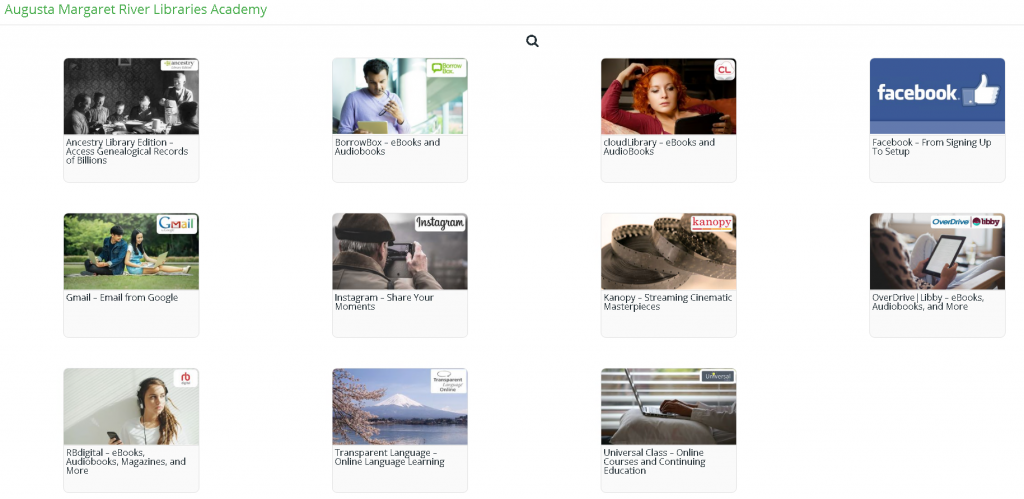
The Augusta Margaret River Libraries Academy offers our patrons a range of short videos that explain how to use library e-resources.

Click here to go directly to the Augusta Margaret River Libraries Academy

Included are videos that explain how these resources work with different devices.

Videos include:

BorrowBox, cloudLibrary & Overdrive e-books and e-audiobooks

Movie-streaming with Kanopy

Online courses with Universal Class and Transparent Language Online

How to use Ancestry Library Edition

Plus some non-library resources – How to use Instagram, Gmail & Facebook

Click here to find further how-to guides on our Online Resources FAQs page.


Languages other than English

Did you know that many of our online resources can be set to operate in the language of your choice?

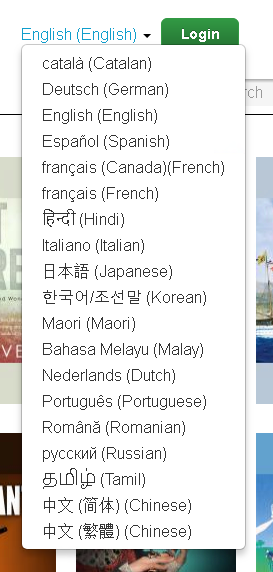
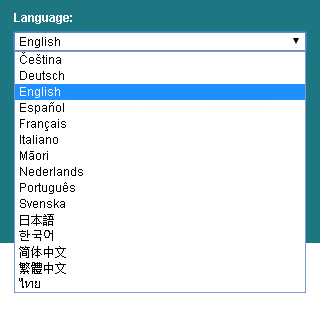
For example, if you’re navigating your way around cloudLibrary and prefer to do so in a language other than English, there’s a handy drop-down menu at the top of the page, where you can make your selection:

Or if you’re using our online catalogue, there are language options near the bottom of the page:

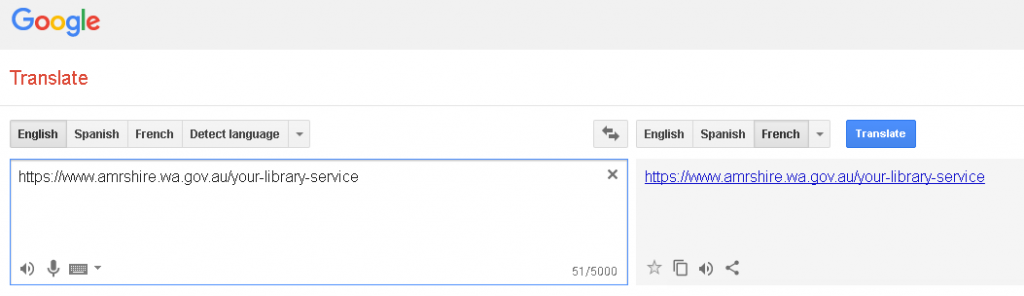
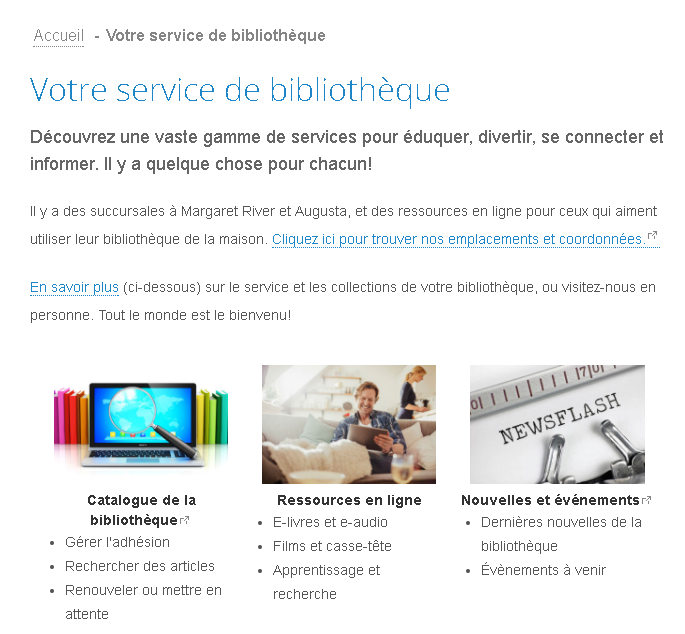
Even websites that don’t offer in-site language options can be translated by Google. Simply paste a website URL into the Google Translate page, and select the language of your choice:

…et voila!

We hope these tips will help you expand your language skills, make information more accessible for your family, or provide a different way of doing things – just for fun!

Which format is best for you?

Our aim is to assist all of our community to connect to the information, stories, education and entertainment of their choosing. We are a community of diverse needs and preferences – and this is reflected in the broad range of formats your library service offers. Did you know that we have:

Audio-books

Great for those who may have difficulty holding a book or reading a page, and also perfect for those long drives when your eyes are busy doing other things! Try cloudLibrary, BorrowBox, Overdrive or rbDigital for downloadable audio-books, or visit the library (or our online catalogue) to browse our range of audio-books on disc.

E-books

Ever wish you could increase the font size at the touch of a button? Don’t feel comfortable holding a heavy book, or want instant access to a huge range of books at any time of night or day? Then e-books are for you! Try cloudLibrary, BorrowBox and Overdrive – or rbDigital Magazines for downloadable magazines.

Braille books

We also have a small collection of Junior Braille titles available to borrow, with more titles potentially available via Inter-library loan.

Your Online Resources are available 24/7 – click here to explore the range of services that are available for our library members.


Back to top ↑

Contact the Libraries

Margaret River Library

Fearn Avenue, Margaret River WA 6285
Phone: (08) 9780 5600
Email: amrlibrary@amrshire.wa.gov.au